 WaGoZAP
🗓️
Complete scheduling
Text with emojis and line breaks, captioned images and links. Pick the date, time and time zone, review and confirm.
Schedule texts, captioned images and links to contacts and groups, right inside WhatsApp Web. Connect your blog and build your content calendar for the next 30, 60 or 90 days in minutes.
Available in theChrome Web Store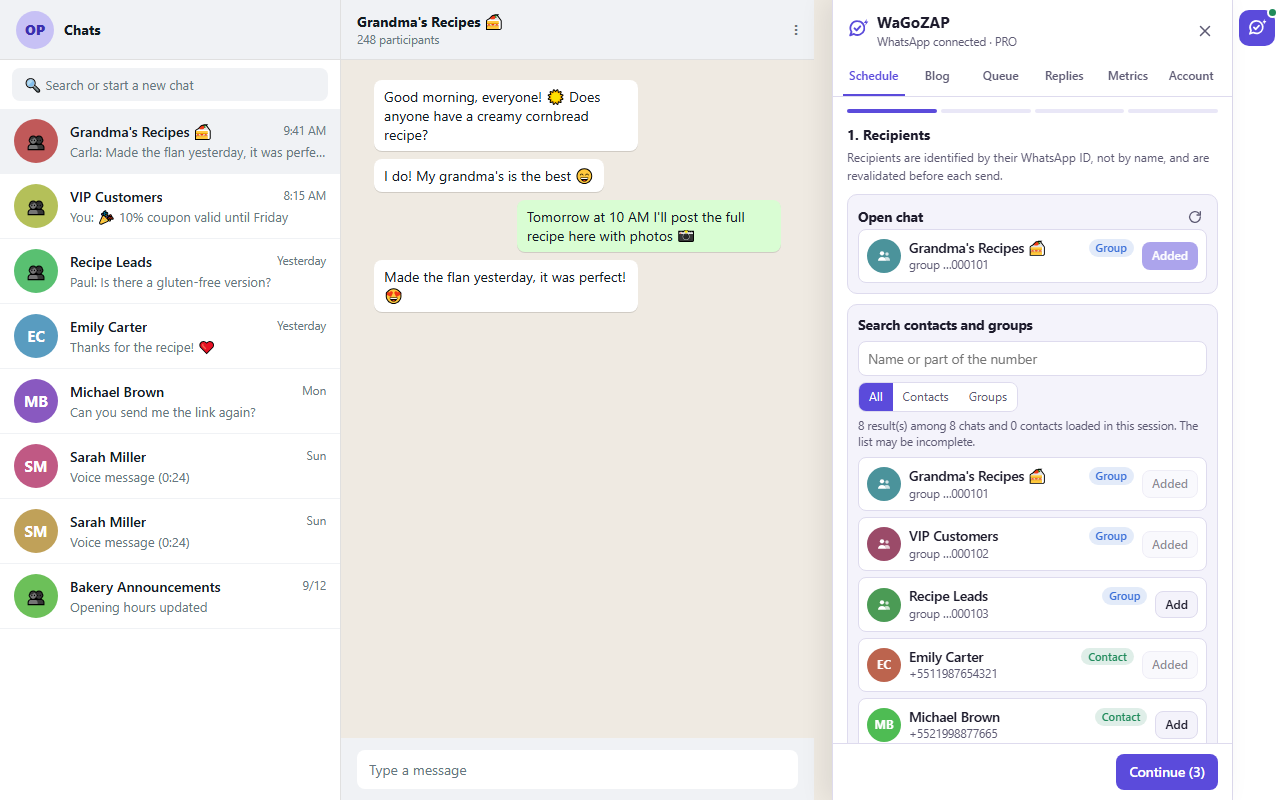
From sign-up to your first scheduled message: create the account, install the extension, sign in and schedule, with the 30-day blog calendar, click metrics and auto-replies.
Less repetitive work, more consistency — and control over what actually happened.
Text with emojis and line breaks, captioned images and links. Pick the date, time and time zone, review and confirm.
Add the open chat, search, or type a number. Duplicate names are flagged and every recipient is checked before sending.
Connect your WordPress and import the title, excerpt, featured image, link, category and date of every post.
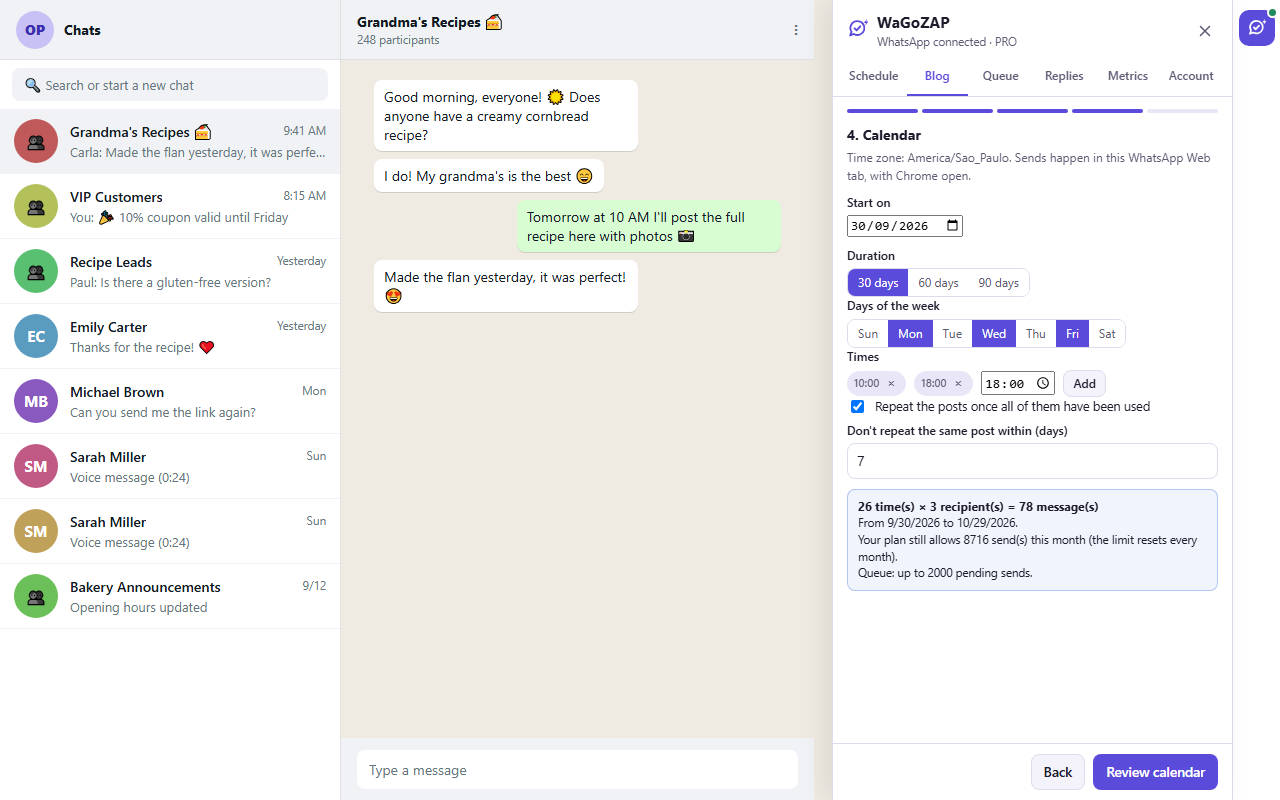
Choose the posts, the order, the days and times. WaGoZAP builds a 30, 60 or 90-day schedule for you to review.
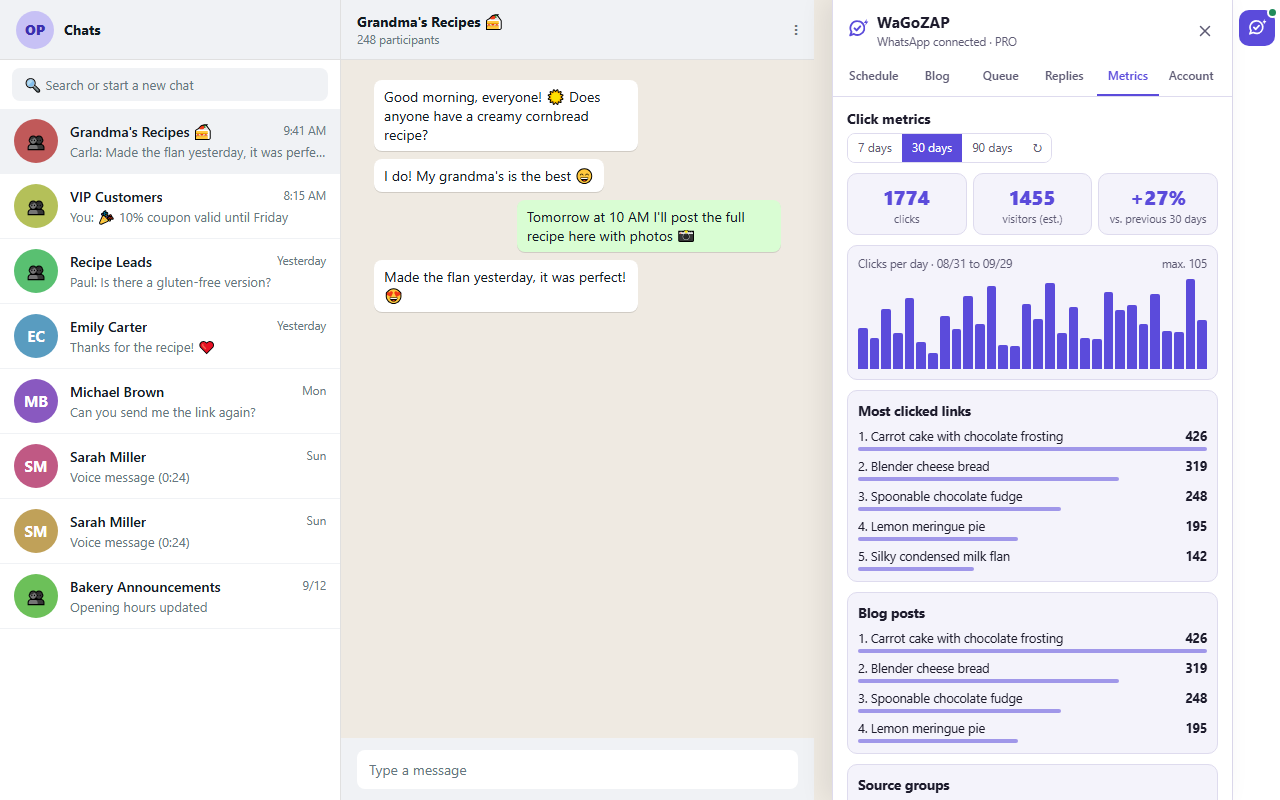
Trackable links show which posts, campaigns and groups get the most clicks, with period-over-period comparison.
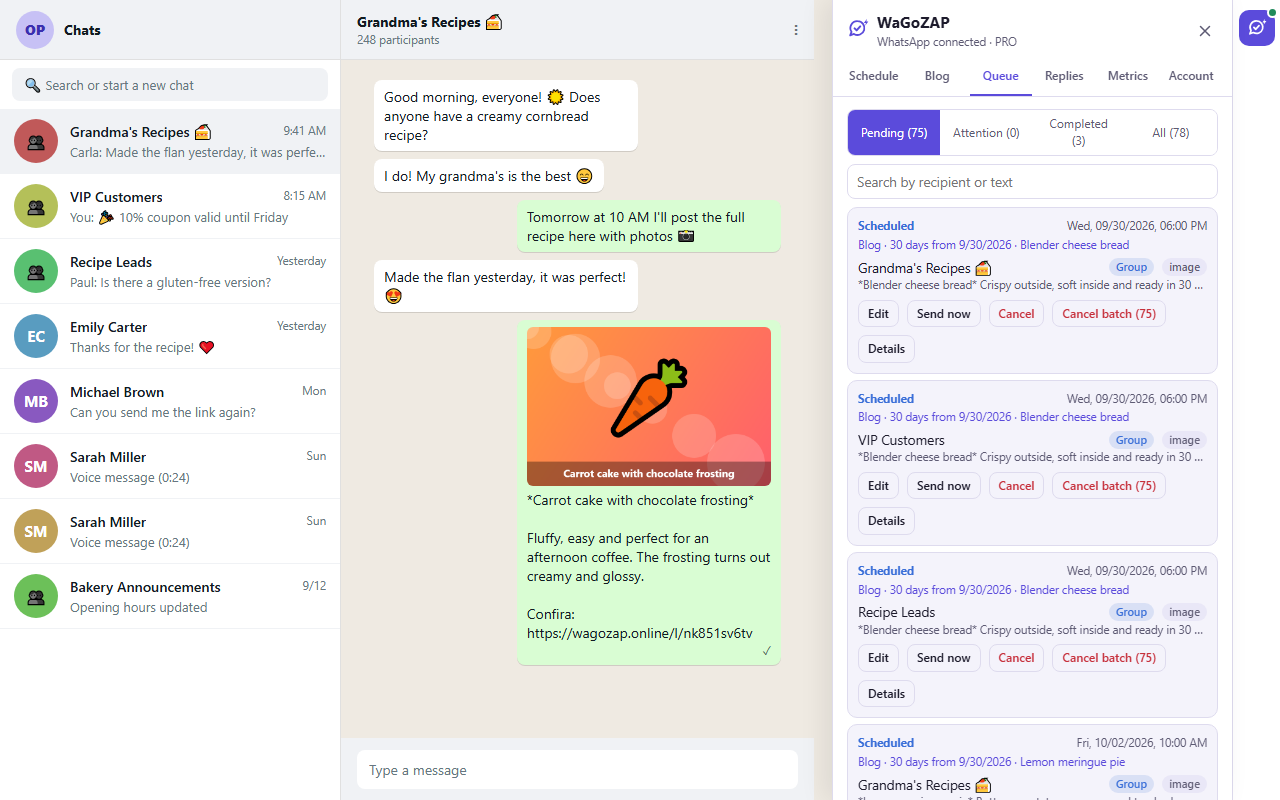
See what was scheduled, sent and confirmed by WhatsApp. If there is any doubt about a send, nothing is resent without your decision.
Connect the blog once. Then just pick the recipes, articles or news, set the order and let WaGoZAP spread the sends across the days and times you choose.
Each link becomes its own trackable link. Follow clicks per day, the top posts and campaigns, and which groups the visits came from.
Filter pending, completed and what needs attention. Reschedule, duplicate or cancel a send — or the entire schedule.
Create your account and get the plan that suits you.
Add WaGoZAP to Google Chrome and open WhatsApp Web.
Add to Chrome →Click the WaGoZAP button, choose the recipients, the message and the time.
Choose the right plan and start today. No commitment: cancel anytime.
Loading plans…
Yes. WaGoZAP sends through WhatsApp Web open in your Google Chrome. At send time, the computer must be on, with Chrome open and WhatsApp Web connected. If it is not, the send waits for a configurable grace period and, after that, is marked as expired — it never goes out far off schedule.
No. Scheduled messages are saved in the extension, on your computer, and stay there after you close Chrome or restart the computer. For them to be sent, open WhatsApp Web in Chrome. If a time passes while Chrome is closed, the message goes out late if you open it within 15 minutes; after that it is not sent and is marked as expired in the Queue. Scheduled messages stay only on the computer where they were created and are deleted if you remove the extension.
No. WaGoZAP is an independent tool, not affiliated with WhatsApp or Meta. We recommend following WhatsApp's terms and messaging only people who agreed to receive your messages.
WaGoZAP was made for contacts and groups you already talk to and who agreed to receive your messages. We do not offer features to get around the platform's limits or rules. Mass messaging to strangers may get your WhatsApp account restricted.
On your computer. Scheduled messages, recipients and images are stored in the extension, in your browser. Our server keeps your account, your plan, the trackable links and your blog's public posts. See the Privacy Policy.
It works with WordPress blogs that have the public API enabled (the WordPress default). Blogs that require login can be connected with an application password. Other platforms are on the roadmap.
No. WhatsApp does not tell who clicked. We show how many clicks each link, post, campaign and group received, without identifying people.
Create your account, install the extension and schedule your first message in a few minutes.